How to document a BILL approval workflow
By Phil KlingUpdated July 2026How we research this
To document an approval workflow in BILL (Bill.com), record someone performing the real process — a bill landing in the inbox, coding it to the general ledger, routing it through the approval chain, and syncing it to the accounting system — then generate a step-by-step SOP and a process map. BILL automates bill capture and routing, but the coding judgment and approver chasing live in email and the AP clerk’s memory. Ledgerium records that real path in the browser and produces the SOP, process map, and a workflow intelligence report tied to how your team pays bills.
Key takeaways
- BILL captures the bill and routes it through an approval chain, but the general-ledger coding judgment behind each bill is not something the routing records.
- The slow part of AP is usually chasing an approver who is out of office, which happens in email and never shows in a bill-capture tool.
- BILL syncs to the accounting system — QuickBooks, NetSuite, or Sage — and the mapping rules for that sync are AP knowledge a generic guide leaves out.
- Recording a real bill from inbox to payment as the AP clerk works captures the coding, the approval routing, and the accounting sync together.
- Ledgerium generates the SOP, process map, and a report showing where a bill stalls waiting on an approver from one recorded run.
Common workflows in BILL (Bill.com)
- Bill capture and inbox intake
- General-ledger coding and cost-center assignment
- Approval routing and approver follow-up
- Payment scheduling and accounting sync
Why documenting them is hard
- General-ledger coding judgment lives in the AP clerk’s memory, not in the tool
- Approver chasing happens in email, outside BILL
- The accounting-sync mapping rules are easy to leave out of a written guide
The old way
The AP clerk keeps the coding rules and the approval chain in their head. When they are out, the next person guesses which account a bill belongs to, misses an approver, and a payment slips or a sync breaks.
With Ledgerium
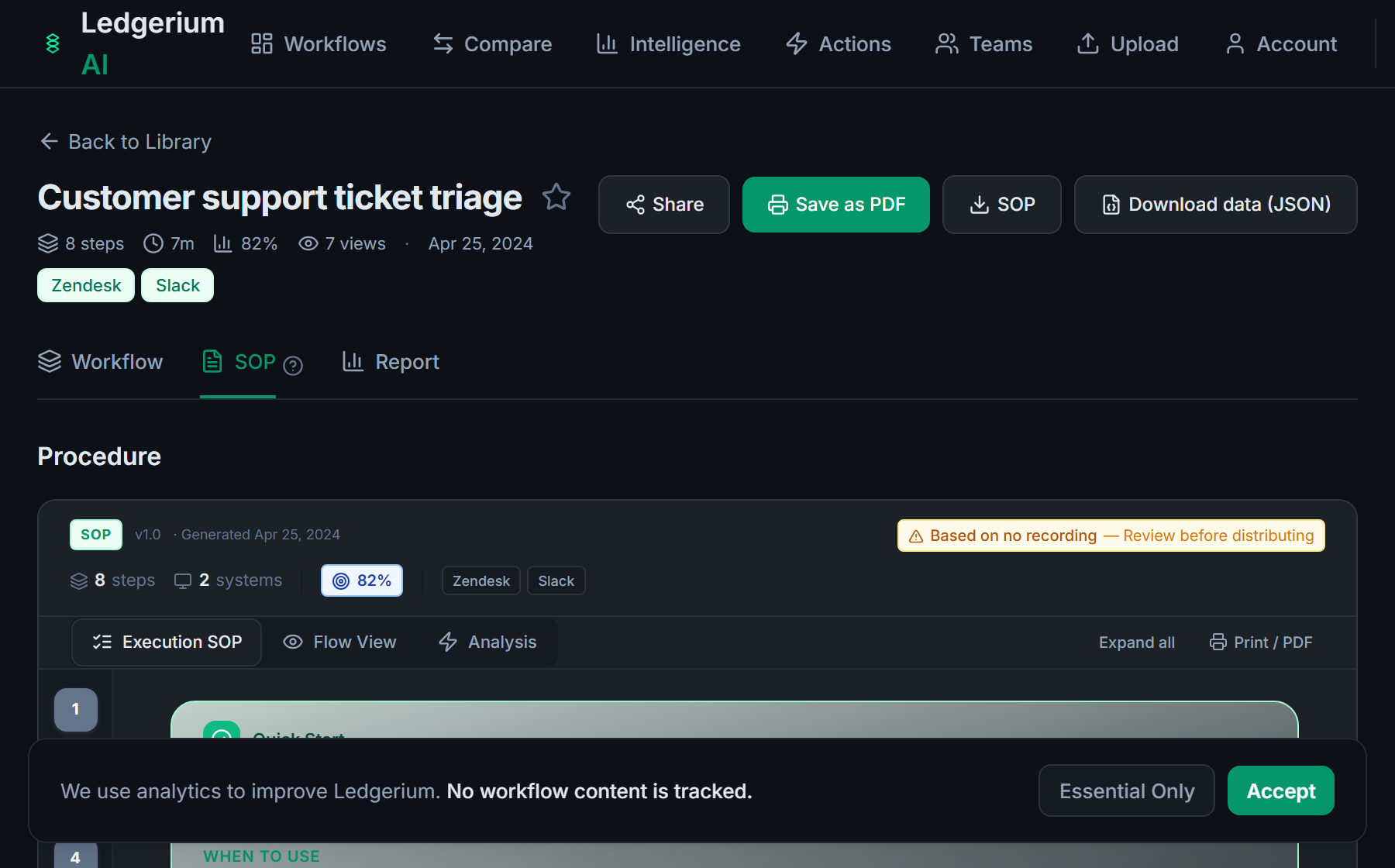
Record the real process as the AP clerk works a bill from inbox to payment. Ledgerium captures the coding, the approval routing, and the accounting sync across BILL and email, then generates the SOP, the process map, and a report that highlights where bills stall.
The SOP Ledgerium generates
Common mistakes
- Documenting the approval chain but not the coding judgment that precedes it
- Leaving the approver follow-up out because it happens in email
- Skipping the accounting-sync mapping that connects BILL to the general ledger
How Ledgerium captures this
BILL automates bill capture and routing while the general-ledger coding and approver chasing happen around it in email, so Ledgerium records the full path to produce an SOP covering the AP coding and approval steps BILL’s routing never documents.
1. Install the extension
Add the Ledgerium recorder to Chrome. No screenshots and no keystrokes are ever captured.
2. Record the real workflow
Perform the process once. Ledgerium captures the structured steps, timing, and system context.
3. Get the output
Receive an SOP, a process map, and a workflow intelligence report generated from the real work.
Worth knowing
Ledgerium captures the browser-based steps an AP clerk takes in and around BILL. The approval routing engine and the accounting-sync that run server-side are handled by BILL; document their effect from the user-visible result.
Frequently asked questions
- Record a real run as the AP clerk works a bill from inbox to payment, then generate the SOP and process map from the recording. Because it captures the coding, the approval routing, and the accounting sync, the result reflects how your team actually pays bills.
- BILL automates bill capture and routing, but the coding judgment and the approver chasing happen around it, in email and the clerk’s memory. A tool-only guide leaves both out. Recording a real bill captures the routing and the surrounding work together.
- Yes. A single recording follows the clerk across BILL and the other browser-based tools in the process, such as email approvals and the accounting system, so the SOP reflects the full accounts-payable workflow.
- It captures what the user does and sees in the browser, including the approvals they submit. The routing engine and the accounting sync that run server-side are not observed directly, so document their effect from the user-visible result.
- No. This is an independent guide. BILL and Bill.com are trademarks of their owner, and Ledgerium is not affiliated with or endorsed by BILL. Ledgerium complements BILL by documenting the workflow around the approval.
Free includes SOPs and process maps for 5 workflows a month. The intelligence layer — bottleneck detection, automation scoring, variation analysis — is on paid plans. See what's included on each plan.
Not ready to sign up? Try the live demo — no login required.
Document a BILL (Bill.com) workflow from real work
Record the real process in your own account and generate an SOP, a process map, and an intelligence report that matches what your team actually sees.
Free plan includes 5 documented workflows per month. No screenshots ever captured.
Or Install the extension first.
BILL (Bill.com) is a trademark of its respective owner. Ledgerium AI is not affiliated with or endorsed by BILL (Bill.com).