How to document a workflow in Salesforce
By Phil KlingUpdated June 2026How we research this
To document a workflow in Salesforce, record someone performing the real process in Salesforce, lead qualification, opportunity handoff, or case resolution, then turn that recording into a step-by-step SOP and a process map. Salesforce screens vary by org configuration, so a written-from-memory guide rarely matches what users actually see. Ledgerium records the real interaction in the browser and generates the SOP, process map, and a workflow intelligence report, so the documentation reflects your org, not a generic example.
Key takeaways
- Salesforce lead qualification, opportunity handoff, and case resolution each follow a path shaped by your org configuration, which a generic guide cannot predict.
- Admin-built automation in Salesforce hides steps users never see, making the real flow hard to describe from memory.
- A guide written against a standard Salesforce layout references buttons and fields a customized org may not have, and trust erodes the first time it is wrong.
- Recording the process in your own Salesforce org captures the actual clicks, page flows, and cross-system steps in one pass.
- Ledgerium generates the SOP, process map, and a report flagging where the Salesforce process slows down from a single recorded run.
Common workflows in Salesforce
- Lead qualification and routing
- Opportunity-to-onboarding handoff
- Case creation and resolution
- Quote and approval routing
Why documenting them is hard
- Org customization means generic guides do not match real screens
- Processes span Salesforce plus email and other systems
- Admin-built automation hides steps users never see, making the flow hard to describe
The old way
An admin or analyst writes the steps from memory against a generic Salesforce layout. Because every org is customized, the guide references buttons and fields that differ from what the team actually sees, and trust erodes fast.
With Ledgerium
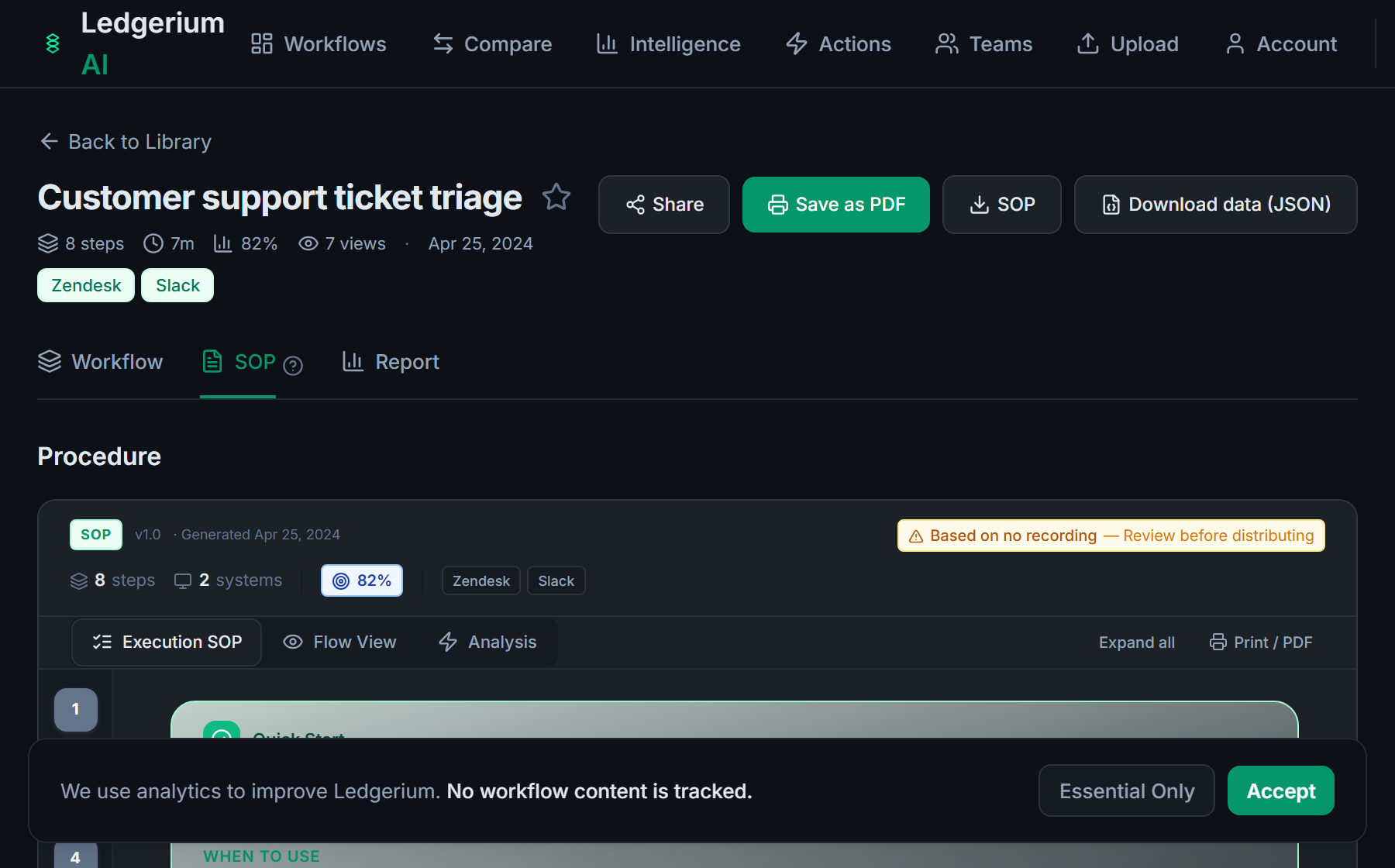
Record the real process in your Salesforce org. Ledgerium captures the actual clicks, page flows, and cross-system steps and generates the SOP, the process map, and a report that highlights where the process slows down.
The SOP Ledgerium generates
Common mistakes
- Documenting against a generic layout instead of your customized org
- Stopping at the Salesforce boundary when the process continues in email or billing
- Omitting the validation and approval branches that vary by record type
How Ledgerium captures this
Salesforce orgs are customized so heavily that two teams running the same standard process click through different layouts, and Ledgerium records the real path so the SOP shows your instance rather than a generic screen.
1. Install the extension
Add the Ledgerium recorder to Chrome. No screenshots and no keystrokes are ever captured.
2. Record the real workflow
Perform the process once. Ledgerium captures the structured steps, timing, and system context.
3. Get the output
Receive an SOP, a process map, and a workflow intelligence report generated from the real work.
Worth knowing
Ledgerium captures the browser-based steps inside Salesforce. Automations that run server-side, such as flows and triggers, are not observed directly; document their effect from what the user sees.
Frequently asked questions
- Record a real run of the process in your Salesforce org, then generate the SOP and process map from the recording. Because it captures your actual screens and clicks, the documentation matches your customized org rather than a generic example.
- Salesforce orgs are heavily customized with different layouts, fields, and automation. A guide written against a standard layout references things your org may not have. Recording your real process avoids that mismatch.
- Yes. A single recording captures the steps across Salesforce and the other browser-based systems in the process, such as email and billing, so the SOP reflects the full flow.
- It captures what the user does and sees in the browser. Server-side automation such as flows and triggers is not observed directly, so document its effect from the user-visible result.
- No. This is an independent guide. Salesforce is a trademark of its owner, and Ledgerium is not affiliated with or endorsed by Salesforce.
Related to this
Free includes SOPs and process maps for 5 workflows a month. The intelligence layer — bottleneck detection, automation scoring, variation analysis — is on paid plans. See what's included on each plan.
Not ready to sign up? Try the live demo — no login required.
Document a Salesforce workflow from real work
Record the real process in your own account and generate an SOP, a process map, and an intelligence report that matches what your team actually sees.
Free plan includes 5 documented workflows per month. No screenshots ever captured.
Or Install the extension first.
Salesforce is a trademark of its respective owner. Ledgerium AI is not affiliated with or endorsed by Salesforce.