How to document a DocuSign document workflow
By Phil KlingUpdated July 2026How we research this
To document a document workflow in DocuSign, record someone performing the real process — assembling the document, routing it for internal review, sending the envelope, and filing it once it is signed — then generate a step-by-step SOP and a process map from it. DocuSign records the signing event and its audit trail, but not the human steps that prepare and follow the envelope. Ledgerium records that surrounding work in the browser and produces the SOP, process map, and a workflow intelligence report, so the document workflow around DocuSign is measured, not just the signature.
Key takeaways
- DocuSign records the signing event and a legal audit trail, but it does not capture the human document workflow that prepares and follows each envelope.
- Most of the elapsed time in a document workflow is internal — assembling the document, routing it for review, and chasing an internal approval before it is ever sent for signature.
- What happens after an envelope is signed — filing it, updating a system of record, triggering the next step — lives outside DocuSign and usually goes undocumented.
- Recording a real document workflow as the user works it captures the preparation, sending, and post-signature steps around DocuSign in one pass.
- Ledgerium generates the SOP, process map, and a report showing where the document workflow waits — often on internal review, not on the signer — from a single recording.
Common workflows in DocuSign
- Document assembly and internal review before sending
- Envelope preparation, recipient routing, and sending
- Signature chasing and reminders
- Post-signature filing and system-of-record updates
Why documenting them is hard
- The preparation and internal-review steps happen before DocuSign, so an envelope-only guide misses them
- Post-signature filing and hand-offs happen after DocuSign and go undocumented
- Most of the waiting is on internal review, which the DocuSign audit trail does not measure
The old way
The team treats DocuSign’s audit trail as the process record, but it only covers the signing itself. The document assembly, the internal review, and the filing afterward stay as tribal knowledge, so a handoff or an audit finds no written record of how a document actually moves.
With Ledgerium
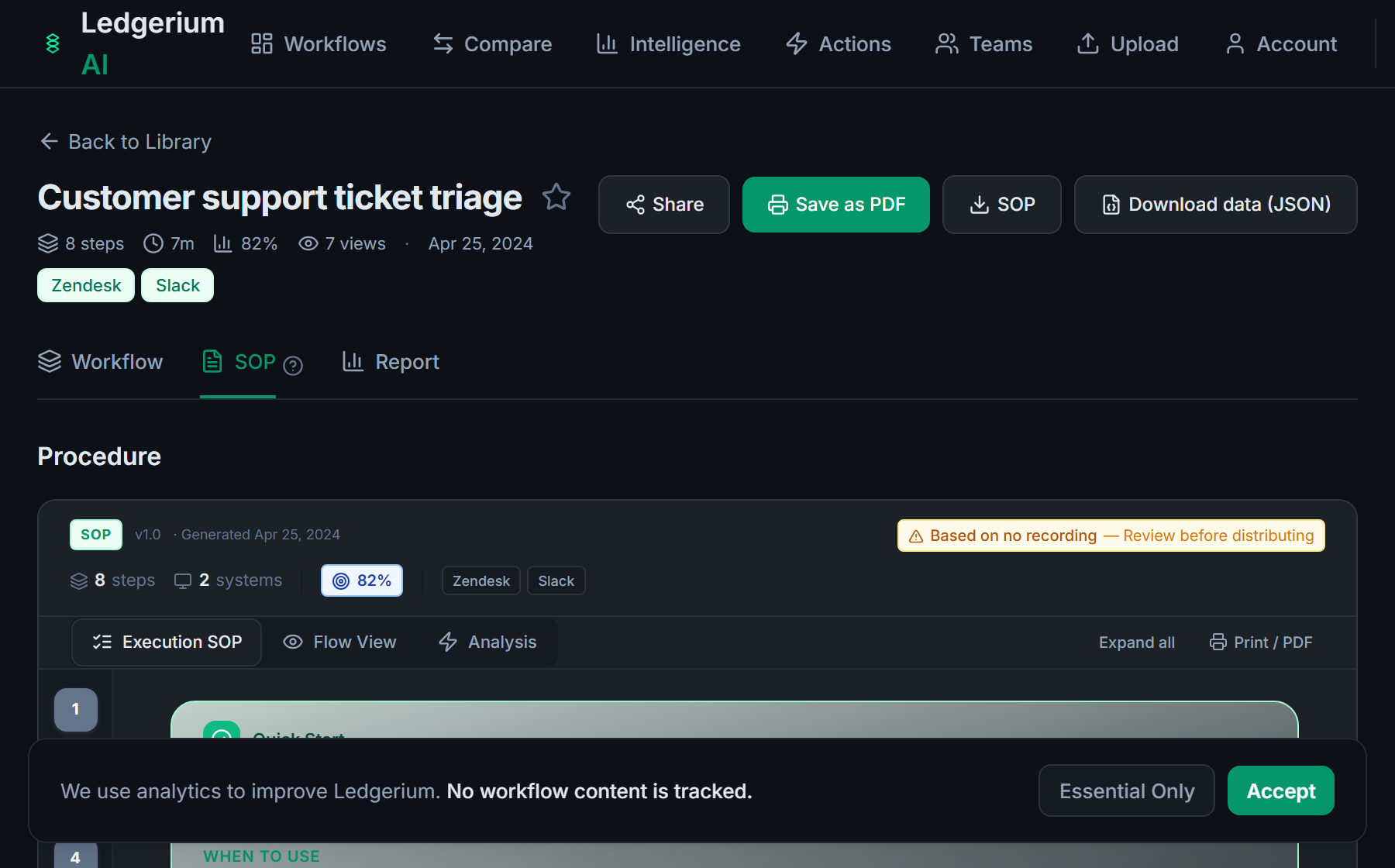
Record the real document workflow as the user works it. Ledgerium captures the preparation, the internal review, the sending, and the post-signature filing around DocuSign, then generates the SOP, the process map, and a report that highlights where the workflow waits.
The SOP Ledgerium generates
Common mistakes
- Treating the DocuSign audit trail as the whole process record
- Documenting the envelope but not the internal review that precedes it
- Stopping at the signature and leaving the post-signature filing undocumented
How Ledgerium captures this
DocuSign logs the signing event and its audit trail but not the human document workflow around it, so Ledgerium records the assembly, internal review, and post-signature filing steps to produce an SOP that measures the whole document workflow rather than only the signature.
1. Install the extension
Add the Ledgerium recorder to Chrome. No screenshots and no keystrokes are ever captured.
2. Record the real workflow
Perform the process once. Ledgerium captures the structured steps, timing, and system context.
3. Get the output
Receive an SOP, a process map, and a workflow intelligence report generated from the real work.
Worth knowing
Ledgerium captures the browser-based steps around a DocuSign envelope. The signing ceremony itself and the events inside DocuSign’s audit trail are recorded by DocuSign, not Ledgerium; use both together — DocuSign for the signature of record, Ledgerium for the workflow around it.
Frequently asked questions
- Record a real run of the workflow as the user works it — assembling the document, routing it for internal review, sending the envelope, and filing it once signed — then generate the SOP and process map from the recording. The result covers the human steps around DocuSign, not just the signing event.
- DocuSign records the signing event and a legal audit trail, which proves who signed and when. It does not capture the human document workflow around the envelope — the preparation, internal review, and post-signature filing. Recording those steps measures the full workflow.
- Often on internal review and approval before the envelope is sent, not on the signer. Ledgerium records those steps and produces a report showing where the workflow waits, which the DocuSign audit trail does not measure.
- Yes. A single recording follows the user across DocuSign and the other browser-based tools in the process, including the filing and system-of-record updates that happen once an envelope is signed.
- No. This is an independent guide. DocuSign is a trademark of its owner, and Ledgerium is not affiliated with or endorsed by DocuSign. Ledgerium complements DocuSign by documenting the workflow around the signature.
Related to this
Free includes SOPs and process maps for 5 workflows a month. The intelligence layer — bottleneck detection, automation scoring, variation analysis — is on paid plans. See what's included on each plan.
Not ready to sign up? Try the live demo — no login required.
Document a DocuSign workflow from real work
Record the real process in your own account and generate an SOP, a process map, and an intelligence report that matches what your team actually sees.
Free plan includes 5 documented workflows per month. No screenshots ever captured.
Or Install the extension first.
DocuSign is a trademark of its respective owner. Ledgerium AI is not affiliated with or endorsed by DocuSign.