How to document a workflow in HubSpot
By Phil KlingUpdated June 2026How we research this
To document a workflow in HubSpot, record someone performing the real process, a lead handoff, a deal stage change, or a ticket move, then generate a step-by-step SOP and a process map from it. HubSpot pipelines and properties are configured per team, so a generic guide rarely matches how reps actually move records. Ledgerium records the real interaction in the browser and produces the SOP, process map, and a workflow intelligence report, so the documentation matches your portal and the way the team actually works deals and tickets.
Key takeaways
- HubSpot pipelines, stages, and properties are configured per team, so a default-pipeline playbook references steps reps do not follow.
- HubSpot automation and sequences enroll and move records in ways reps never see, which from-memory documentation misses.
- HubSpot work spans email and calendars, so a portal-only guide stops short of the full follow-up flow.
- Recording a rep working a record captures the real stage moves, property updates, and follow-up steps.
- Ledgerium produces the SOP, process map, and a report flagging where HubSpot deals stall from one recording.
Common workflows in HubSpot
- Lead handoff from marketing to sales
- Deal stage progression and updates
- Ticket pipeline handling
- Sequence enrollment and follow-up
Why documenting them is hard
- Per-team pipelines and properties mean stage steps differ across portals
- Automation enrolls and moves records in ways reps do not see
- Work spans HubSpot plus email, calendars, and other tools
The old way
A RevOps lead writes the playbook from memory against a default pipeline. Because each team configures stages and properties differently, the guide references steps reps do not follow, and it drifts as the portal changes.
With Ledgerium
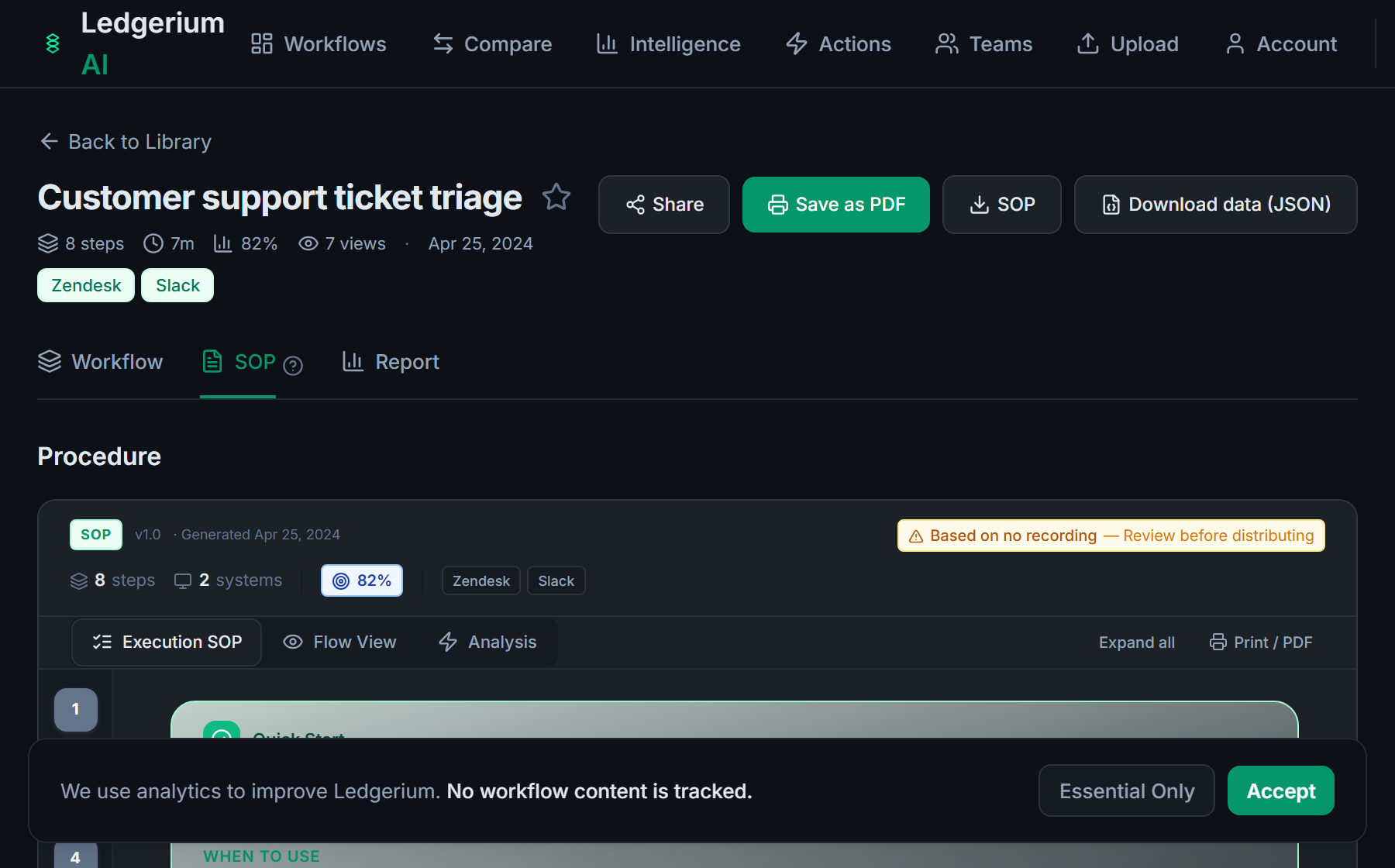
Record the real process as the rep works the record. Ledgerium captures the actual stage moves, property updates, and follow-up steps and generates the SOP, the process map, and a report that highlights where deals stall.
The SOP Ledgerium generates
Common mistakes
- Documenting a default pipeline instead of the team’s configured stages
- Skipping the steps automation and sequences perform behind the scenes
- Stopping at the HubSpot boundary when follow-up happens in email or calendar
How Ledgerium captures this
HubSpot pipelines, stages, and properties are configured per team, so what counts as a stage change differs across portals, and Ledgerium records the steps a rep takes so the SOP reflects how that team moves deals and tickets.
1. Install the extension
Add the Ledgerium recorder to Chrome. No screenshots and no keystrokes are ever captured.
2. Record the real workflow
Perform the process once. Ledgerium captures the structured steps, timing, and system context.
3. Get the output
Receive an SOP, a process map, and a workflow intelligence report generated from the real work.
Worth knowing
Ledgerium captures the browser-based steps in HubSpot. Automation, sequence enrollment, and workflow actions that run in the background are not observed directly; document their effect from the user-visible result.
Frequently asked questions
- Record a real run of the process as the rep works the record, then generate the SOP and process map from the recording. The result reflects the actual stages, properties, and follow-up steps your team uses.
- HubSpot pipelines, stages, and properties are configured per team. A guide written against a default pipeline references steps your reps may not follow. Recording the real process avoids that mismatch.
- Yes. A single recording captures the steps across HubSpot and the other browser-based tools in the process, such as email and calendar, so the SOP reflects the full flow.
- It captures what the user does and sees in the browser. Automation and sequence enrollment that run in the background are not observed directly, so document their effect from the user-visible result.
- No. This is an independent guide. HubSpot is a trademark of its owner, and Ledgerium is not affiliated with or endorsed by HubSpot.
Related to this
Free includes SOPs and process maps for 5 workflows a month. The intelligence layer — bottleneck detection, automation scoring, variation analysis — is on paid plans. See what's included on each plan.
Not ready to sign up? Try the live demo — no login required.
Document a HubSpot workflow from real work
Record the real process in your own account and generate an SOP, a process map, and an intelligence report that matches what your team actually sees.
Free plan includes 5 documented workflows per month. No screenshots ever captured.
Or Install the extension first.
HubSpot is a trademark of its respective owner. Ledgerium AI is not affiliated with or endorsed by HubSpot.