How to document a workflow in QuickBooks
By Phil KlingUpdated June 2026How we research this
To document a workflow in QuickBooks, record someone performing the real process, a bill approval, an invoice, or a bank reconciliation, then generate a step-by-step SOP and a process map from it. Small teams often hold these steps in one person’s head, so the process is undocumented until that person is out. Ledgerium records the real interaction in the browser, including the lookups and approvals outside QuickBooks, and produces the SOP, process map, and a workflow intelligence report tied to how your books are actually kept.
Key takeaways
- QuickBooks bookkeeping steps on small teams live in one person’s memory, leaving the process undocumented until that person is out.
- Approvals and reviews for the books happen in email outside QuickBooks, so a QuickBooks-only guide misses them.
- Bank reconciliation judgment calls are hard to describe from memory and rarely get written down.
- Recording the bookkeeper at work captures bill, invoice, and reconciliation steps across QuickBooks and email in one pass.
- Ledgerium generates the SOP, process map, and a report highlighting where the close slows down from a single recording.
Common workflows in QuickBooks
- Bill entry and approval
- Invoicing and payment recording
- Bank and credit card reconciliation
- Month-end review and close steps
Why documenting them is hard
- Steps live in one person’s head with nothing written down
- Approvals and reviews happen in email, outside the books
- Reconciliation judgment calls are hard to describe from memory
The old way
The bookkeeper keeps the process in their head and a few notes. When they are out or hand off the work, the next person guesses at the order, misses a review step, and the close slips.
With Ledgerium
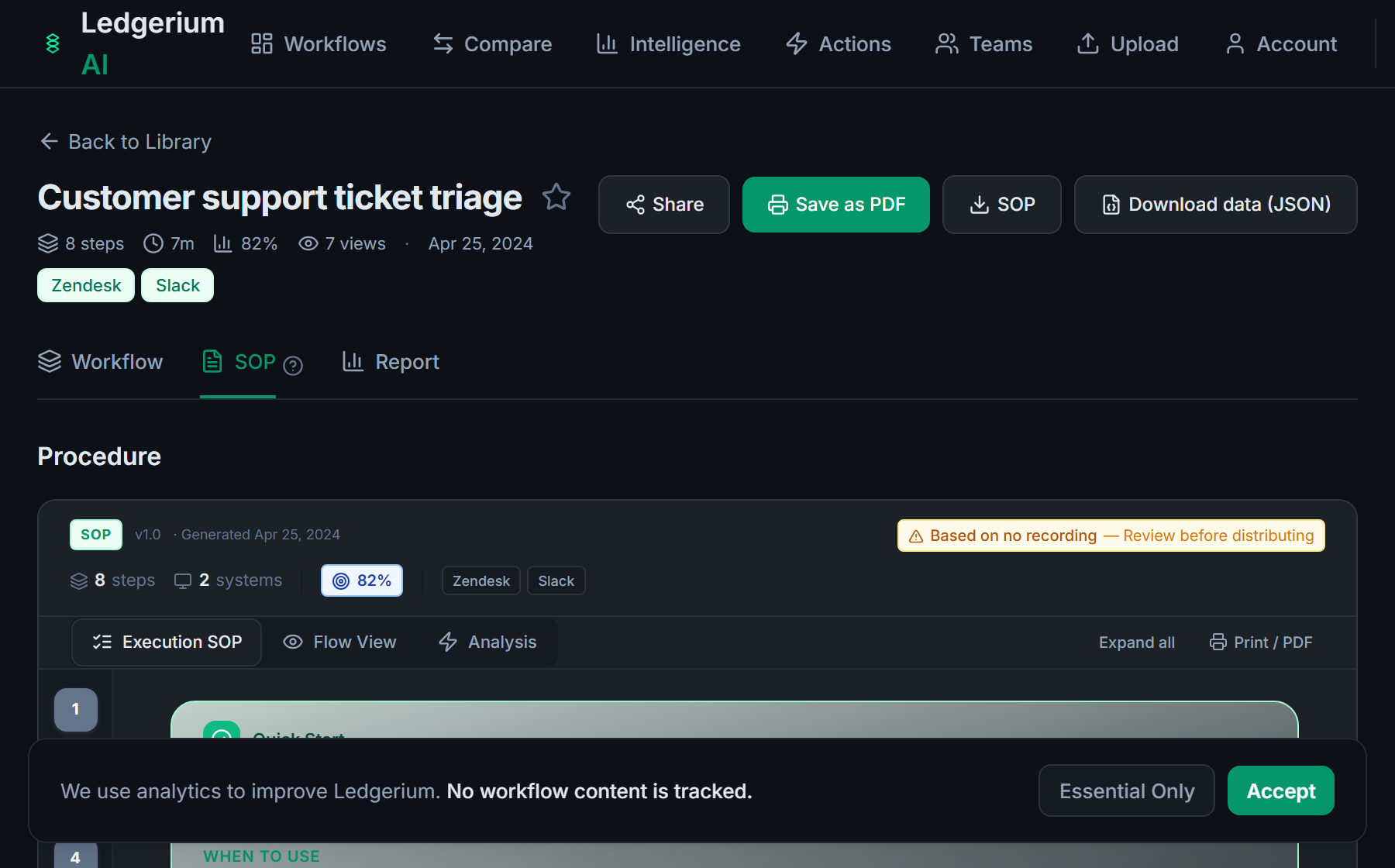
Record the real process as the bookkeeper works. Ledgerium captures the bill, invoice, and reconciliation steps across QuickBooks and email and generates the SOP, the process map, and a report that highlights where the close slows down.
The SOP Ledgerium generates
Common mistakes
- Documenting data entry but skipping the review and approval steps
- Leaving the reconciliation judgment calls undocumented
- Stopping at the QuickBooks boundary when approvals happen in email
How Ledgerium captures this
QuickBooks bookkeeping often lives in one person’s memory with approvals happening in email, so Ledgerium records the real run across QuickBooks and those tools to produce an SOP of the full month-end and approval work.
1. Install the extension
Add the Ledgerium recorder to Chrome. No screenshots and no keystrokes are ever captured.
2. Record the real workflow
Perform the process once. Ledgerium captures the structured steps, timing, and system context.
3. Get the output
Receive an SOP, a process map, and a workflow intelligence report generated from the real work.
Worth knowing
Ledgerium captures the browser-based steps in QuickBooks Online. Bank feeds, recurring transactions, and rules that post automatically are not observed directly; document their effect from the user-visible result.
Frequently asked questions
- Record a real run of the process as the bookkeeper works, then generate the SOP and process map from the recording. The result reflects the entry, review, and reconciliation steps your books actually use.
- On small teams the steps live in one person’s memory and the approvals happen in email. Nothing is written down until a handoff forces it. Recording a real run captures the process before that pressure hits.
- Yes. A single recording captures the steps across QuickBooks and the other browser-based tools in the process, such as email approvals and a bank portal, so the SOP reflects the full flow.
- It captures what the user does and sees in the browser. Bank feeds, rules, and recurring transactions that post automatically are not observed directly, so document their effect from the user-visible result.
- No. This is an independent guide. QuickBooks is a trademark of its owner, and Ledgerium is not affiliated with or endorsed by QuickBooks or Intuit.
Free includes SOPs and process maps for 5 workflows a month. The intelligence layer — bottleneck detection, automation scoring, variation analysis — is on paid plans. See what's included on each plan.
Not ready to sign up? Try the live demo — no login required.
Document a QuickBooks workflow from real work
Record the real process in your own account and generate an SOP, a process map, and an intelligence report that matches what your team actually sees.
Free plan includes 5 documented workflows per month. No screenshots ever captured.
Or Install the extension first.
QuickBooks is a trademark of its respective owner. Ledgerium AI is not affiliated with or endorsed by QuickBooks.